
Automatic Voice Message Playback System
Automatic Voice Message Playing System
Automatic Voice Message Playing System
Features in this category
Details
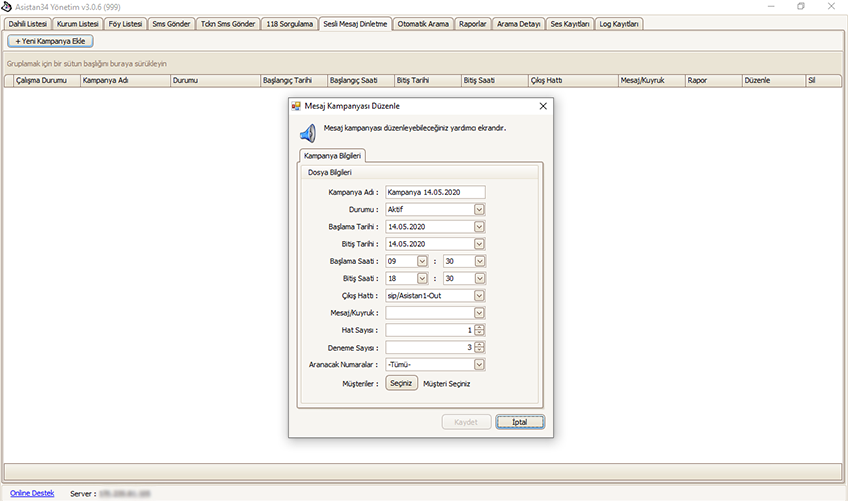
Creating Automatic Voice Message Lists
Your institutional client has applied an interest reduction to the collection of its receivables and wants to communicate this to all debtors and act on it. At the same time, you do not want to interrupt your ongoing daily call operations.
This is exactly where the Automatic Voice Message Playback system meets your need.
The message you want to announce to debtors must first be voiced. You can record it in a voice studio, or prepare it on a mobile phone or recording device in a quiet environment.
Just as you filter in Excel, you specify who will hear the prepared voice message by filtering in the same way.
For example, you can apply multiple filters, such as files with a pending legal status, files with high risk, etc.
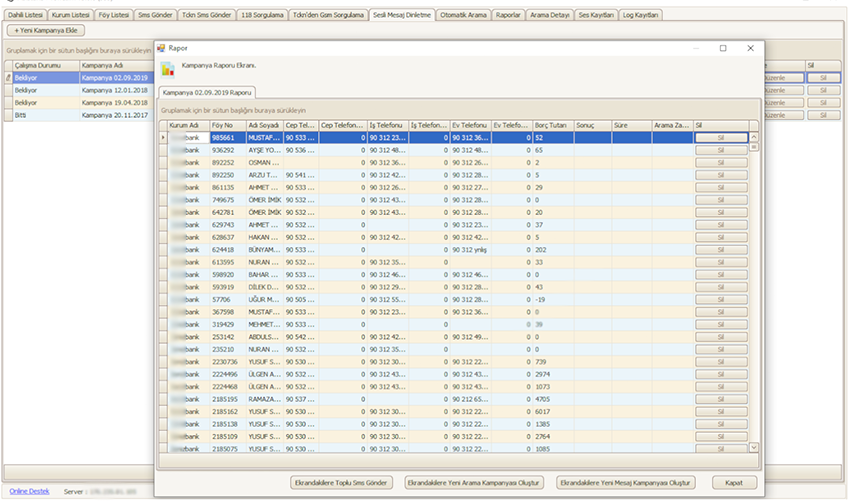
Automatic Voice Message Report
With the Automatic Voice Message Playback Report, you can monitor how far you have reached your target.
For example, suppose you have added 1,000 people to the call list;
How many people you reached, played the voice message to, and transferred to agents,
How many registered phone numbers on the call list are out of service,
How many calls were busy or unanswered.
You can also schedule a new Automatic Voice Message Playback for busy and unanswered calls, or send bulk SMS messages.
Would you like to see Asistan34 in your office?
Fill in the demo request form and our team will get in touch.