
Asistan34 Management and Integrations
We can briefly summarize the benefits of the integrated systems as "Life-Saving".

We can briefly summarize the benefits of the integrated systems as "Life-Saving".
Consider using the many systems you use from one screen and the benefits of reporting.
Also, you use separate screens for each transaction and receive separate reports.
Which saves you more time and benefits?
Features in this category
- Integrated SMS
- Integrated 118 Directory Inquiry
- Integrated NAS / NDS System
- Bulk Customer Entry and Updates
- Integration with Other Software and Programs
- Excel Data Import: Bulk Debtor Entry
- Data Matching - Missing Information Update
- Performans Yönetimi
Details
Integrated SMS
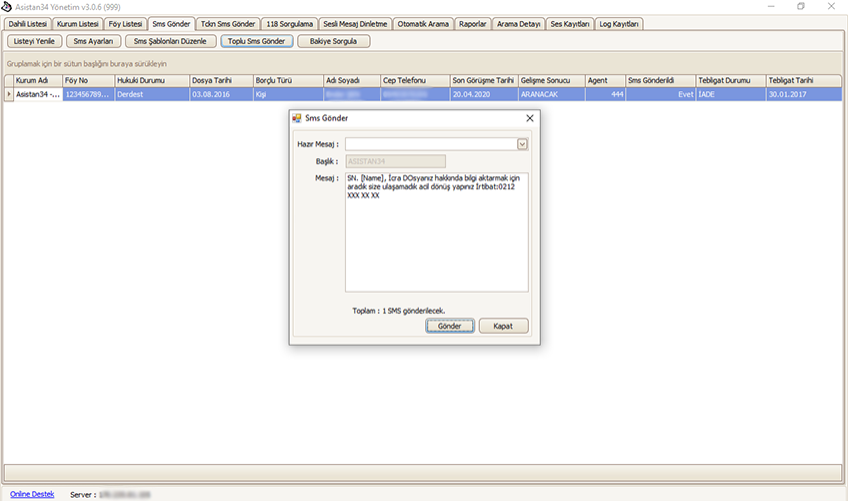
From within the Asistan34 Call Center Customer Tracking CRM software, you can send SMS messages to files one by one or to thousands of files at once. The integrated SMS service gives you convenience and advantages.
To use this service, you must first create an SMS header.
The SMS header is the sender name the subscriber sees.
It must be a maximum of 11 characters (alphanumeric) and must be linked to your institution or to you.
The service is provided in line with the decision of the ICTA (Information and Communication Technologies Authority, BTK) dated 13.08.2018 and numbered 98966759-153.99-E.60186.
You can create SMS templates for your standard SMS content.
If you wish, you can lock these templates so that agents you have authorized to send SMS cannot change the SMS text.
The SMS content to be sent is the same, but if you want to personalize it, you can also use variable fields.
Each SMS sent is recorded in the debtor's file with the date, time, sender, recipient's phone number, and SMS content.
You can send SMS messages to tens of thousands of files in bulk and report on them.
Integrated 118 Directory Inquiry
Reaching debtors without contact details has never been easier. As part of the Licensed Directory Service offered by BTK (ICTA), it lets you run person and company queries across all 4 operators.
You can run queries on thousands of files with a single click.
Your query results are automatically added to the Debtor files within the Asistan34 Call Center Customer Tracking CRM software. This way, your agents can find files that have no contact details but have already been queried.
If you would also like a report, you can export it to Excel from the Asistan34 Call Center Customer Tracking CRM management panel.
Integrated NAS / NDS System
Within the Asistan34 Call Center Customer Tracking CRM software, the integrated NAS (Number Activity Query) and NDS (Number Verification Query) will guide your targeted calls.
New files have arrived from your institutional client, and you want to start calling quickly.
If you want to use your resources in a targeted way, you can check whether the phone numbers in your files are active before calling. This way, files with disconnected numbers are excluded from quick calling, and you focus on files with active numbers.
Bulk Customer Entry and Updates
It is very easy to enter the debtor files assigned to you by your institutional client (banks, energy, telecommunications, asset management, shopping centers, etc.), or your private client collection files, into the Asistan34 Call Center Customer Tracking CRM software.
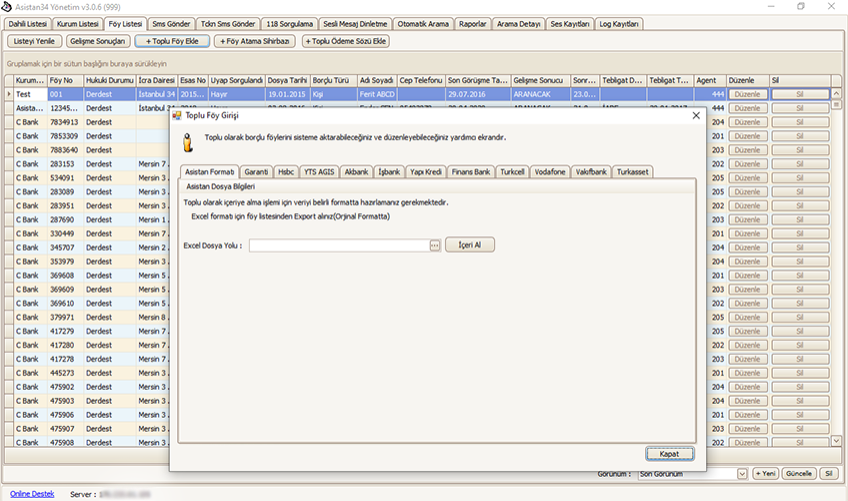
You can import the Pending (open) and Contact reports you obtain from the systems you use (such as YTS) into Asistan34 CRM through file import in the Management panel. The Asistan34 Call Center Customer Tracking CRM software will merge the debtors in your Pending files with the Contact Information report and open them as file records. This way, you transfer thousands of files into the system within seconds.
After importing your files, you may want to update certain information in bulk. (For example: Enforcement Office, Case Number, Debt Amount, Legal Status, etc.)
While importing the Pending and Contact reports you received from the institution's systems, you are asked which fields should be updated. By making your selections, you can update thousands of files in a very short time.
Integration with Other Software and Programs
Your office may use legal case management software. You can also import the files held there into the Asistan34 Call Center Customer Tracking CRM software from the Management panel.
The most important factor here is that the legal case management software you use can export your data to Excel.
Excel Data Import: Bulk Debtor Entry
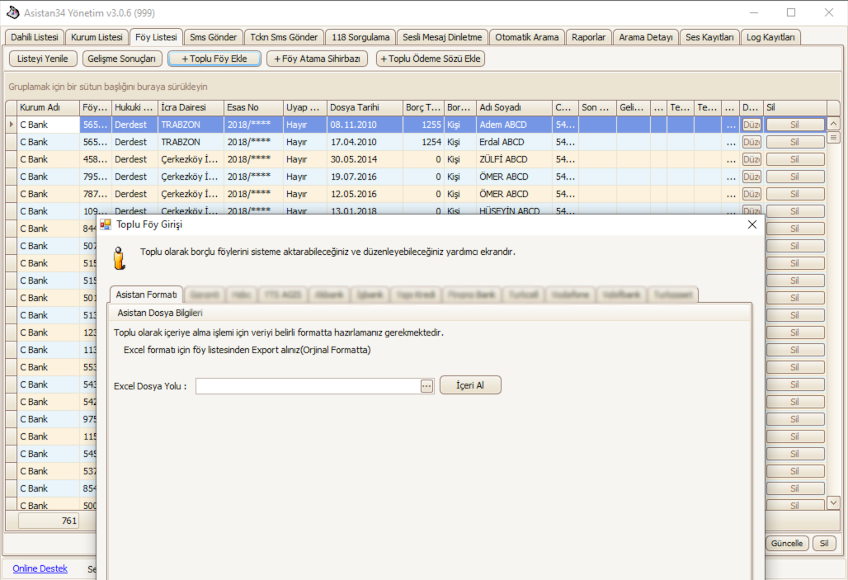
You can record the debtor files assigned to you by your institutional clients into the database using the Asistan34 standard-header Excel format. Under the headers in the Asistan34 Excel format, you enter the information you want to see. Then, you select the Excel file you prepared using the "Import" option and save it.
Data Matching - Missing Information Update
You can match data you receive from the various automation systems and software used in your law office with the data held in the Asistan34 Call Center Customer Management CRM software.
From the File List section of the Asistan34 Management panel, you can export your data to Excel, update it with the list you obtained from other automation systems or software, and then import the updated list to update any fields you want in your file records.
Would you like to see Asistan34 in your office?
Fill in the demo request form and our team will get in touch.