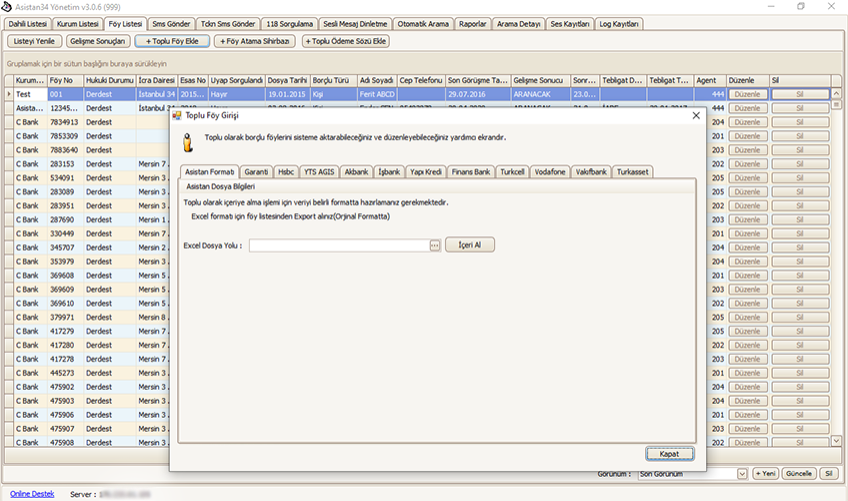
It is very easy to enter the debtor files assigned to you by your institutional client (banks, energy, telecommunications, asset management, shopping centers, etc.), or your private client collection files, into the Asistan34 Call Center Customer Tracking CRM software.
You can import the Pending (open) and Contact reports you obtain from the systems you use (such as YTS) into Asistan34 CRM through file import in the Management panel. The Asistan34 Call Center Customer Tracking CRM software will merge the debtors in your Pending files with the Contact Information report and open them as file records. This way, you transfer thousands of files into the system within seconds.
After importing your files, you may want to update certain information in bulk. (For example: Enforcement Office, Case Number, Debt Amount, Legal Status, etc.)
While importing the Pending and Contact reports you received from the institution's systems, you are asked which fields should be updated. By making your selections, you can update thousands of files in a very short time.